Find a message in the source
Move between a supported diagram message and its PlantUML line. Keep your explanation connected to the source you can edit.
ONLINE PLANTUML EDITOR
Bring the source to your next review. Follow a message to its code, focus on a participant and fold away details while keeping the full diagram intact.
Free local editor. No account needed. Your diagram library stays in this browser.
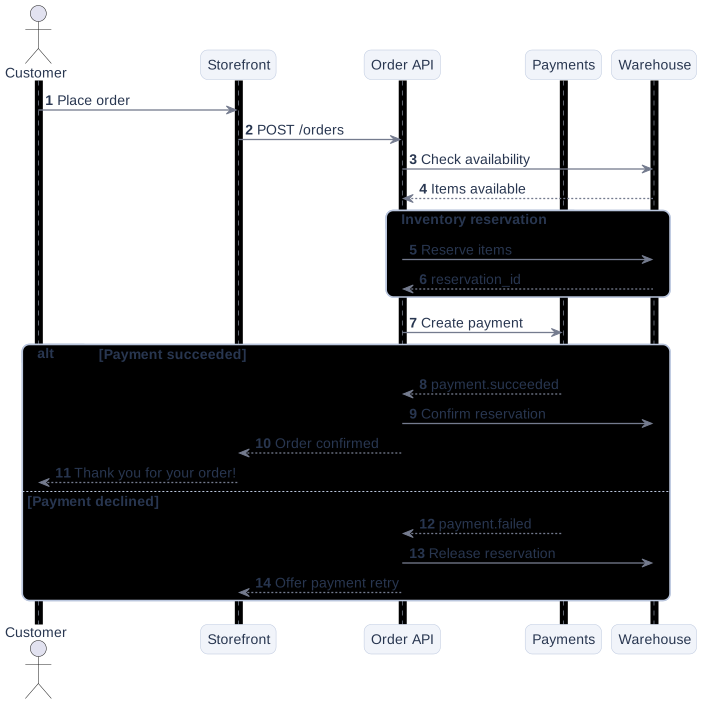
FROM SOURCE TO REVIEW
Move between a supported diagram message and its PlantUML line. Keep your explanation connected to the source you can edit.
Highlight the interactions around one participant when a wide diagram makes the flow difficult to follow.
Fold a group or fragment to discuss the surrounding flow, then expand it for the details. Your original source stays intact.
The editor supports Sequence and Activity diagrams. Rendering and interactive navigation have limits; every PlantUML construct is not supported. Include and preprocessor directives are not supported by the local engine.
Diagrams are stored in this browser, on this device. Clearing site data can remove your library. Download .puml backups for work you want to keep.
AI can suggest paths through an existing supported diagram. It requires an account, credits and a supported region, and sends the diagram source to the AI provider. Review its assumptions. See plans and availability.
Start locally, with your source or the checkout example. Editing does not require signup.